Externa kameror-tillägg
Hitta ONVIF-kameror eller lägg till valfri IP-kamera via HTTP, RTSP, RTSPS, TCP (JPEG) eller WebRTC
Utöver kameran inbyggd i din skrivare kan Printer Tools lägga till valfri egen IP-kamera i ditt lokala nätverk genom att ange dess adress och välja ett protokoll. Fem strömtyper stöds, var och en med sin egen dedikerade spelare, så du kan föra in en befintlig kapsling eller webbkamera på samma panel som dina skrivare.
Enheter som stöds
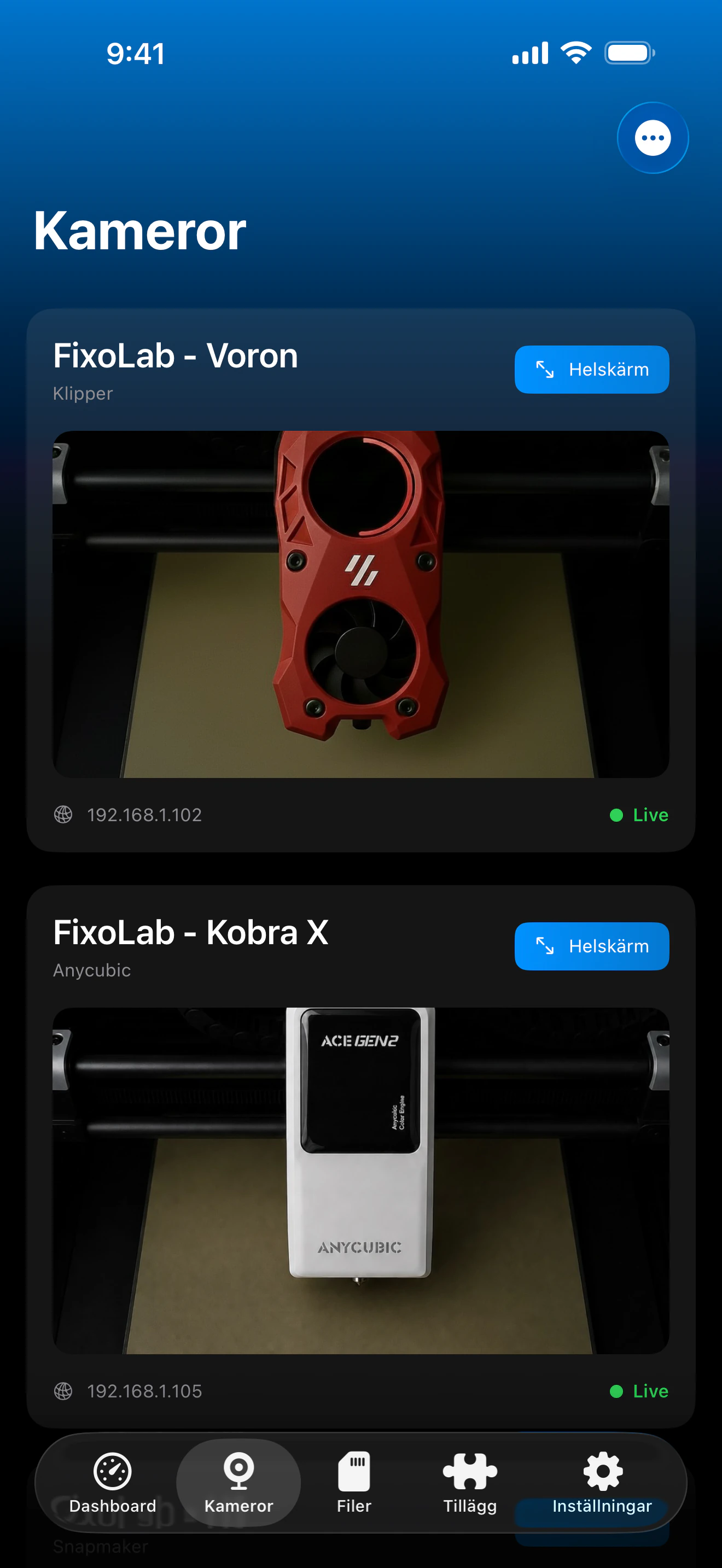
Se det i aktion
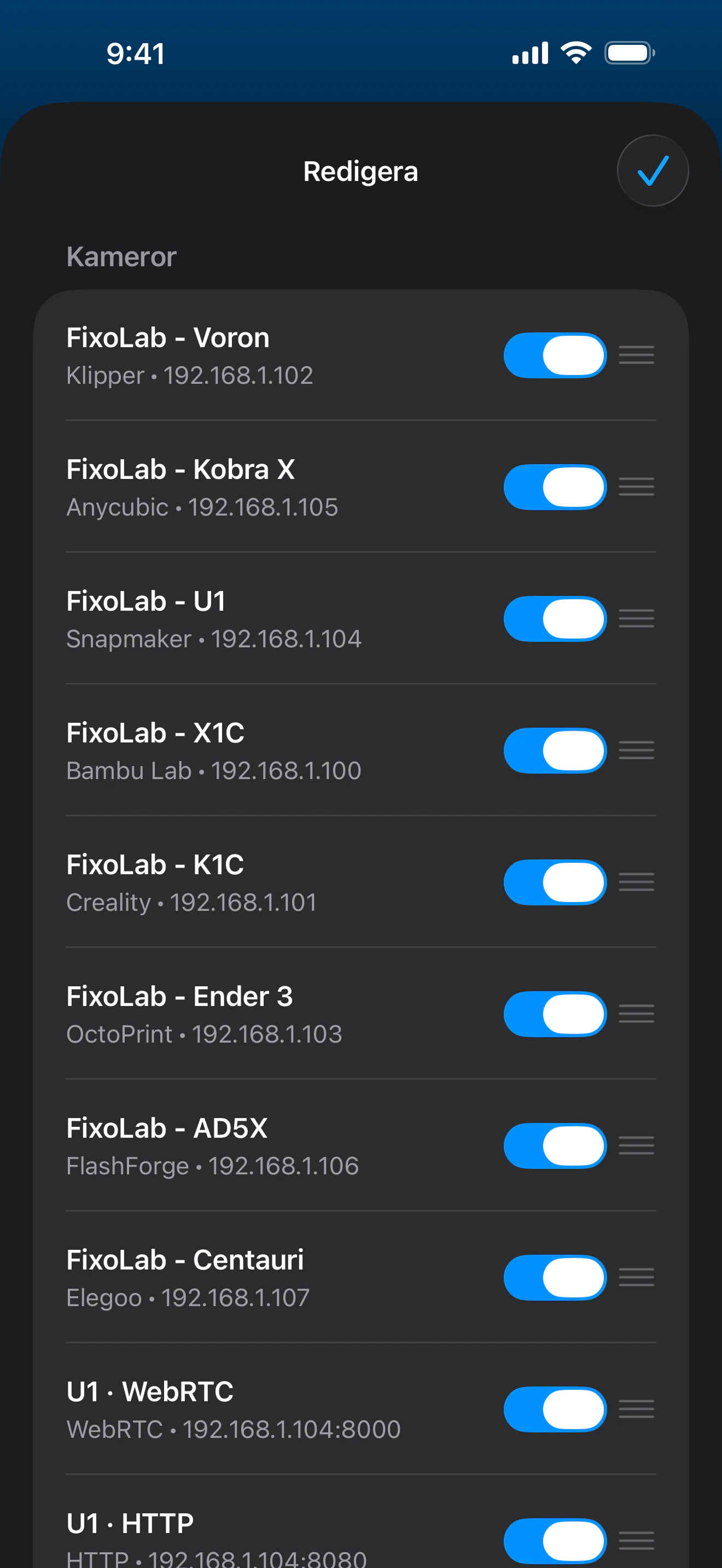
Anslutning och protokoll
| ONVIF | Lokal WS-Discovery, val av medieprofil, automatisk lösning av RTSP/RTSPS-ström och PTZ när kameran stöder det |
| Transport | HTTP (MJPEG), RTSP, RTSPS, TCP (JPEG) eller WebRTC, väljs per kamera |
| Autentisering | Användarnamn/lösenord för ONVIF, HTTP och RTSP/RTSPS; ICE-/signaleringsuppgifter för WebRTC, vid behov |
| Krav | En kameraström nåbar i ditt lokala nätverk på en känd adress och port |
| Hemifrån borta | Anslut via VPN tillbaka till ditt nätverk |
Vad som är verifierat idag
- ✓ONVIF-nätverksidentifiering, val av medieprofil och PTZ-kontroller när den valda kameraprofilen stöder dem
- ✓Förhandsvisning i realtid för strömmar via HTTP (MJPEG), RTSP, RTSPS, TCP (JPEG) och WebRTC
- ✓Helskärmsvisning tillsammans med dina andra kameror
- ✓Automatisk återanslutning när appen återgår till förgrunden
Funktionsmatris
| Funktion | Status | Anteckningar |
|---|---|---|
| Anslutning och upptäckt | Tillgänglig | Lägg till en kamera via IP-adress, port, strömsökväg och protokoll; användarnamn/lösenord stöds där strömmen kräver det. |
| Live-telemetri | Tillgänglig | Förhandsvisning i realtid över alla fem protokoll som stöds, visas tillsammans med dina skrivarkameror. |
| Fjärrstyrning | Delvis | Panorering, lutning och zoom är tillgängliga när den valda ONVIF-profilen erbjuder kompatibel kontinuerlig PTZ-rörelse. |
| Ljud | Inte tillgänglig | Varje protokoll som stöds är endast video, inget ljud är tillgängligt från någon extern kameraström. |
| Flera enheter | Tillgänglig | Lägg till så många externa kameror du vill, var och en med sitt eget protokoll och sina egna inloggningsuppgifter. |
Kända begränsningar
- !Inget ljud i något protokoll, HTTP (MJPEG), RTSP, RTSPS, TCP (JPEG) och WebRTC är alla endast video.
- !Strömningen pausas medan appen är i bakgrunden och återansluter automatiskt när den återgår till förgrunden.
- !TCP (JPEG)-bildrutor större än 2 MB avvisas.
- !WebRTC behöver en kompatibel signaleringsserver, det är inte rent peer-to-peer direkt ur lådan.
- !ONVIF-identifiering kräver åtkomst till det lokala nätverket; profiler och PTZ beror på vad varje kamera erbjuder.
Vanliga frågor
Vilka kameraprotokoll stöds?
ONVIF-identifiering samt direkta HTTP (MJPEG)-, RTSP-, RTSPS-, TCP (JPEG)- och WebRTC-strömmar. ONVIF hittar medieprofilen och strömadressen automatiskt.
Stöder detta ljud?
Nej, varje protokoll som stöds är endast video; ljud är inte tillgängligt från någon extern kameraström.
Behöver jag ett användarnamn och lösenord?
Bara om din kamera kräver det. ONVIF, HTTP och RTSP/RTSPS stöder användarnamn/lösenord, och WebRTC använder sina egna signaleringsuppgifter när installationen kräver det.
Kan jag visa en extern kamera hemifrån borta?
Ja, anslut via VPN tillbaka till ditt hemnätverk, externa kameror nås lokalt, så Printer Tools behöver samma nätverksåtkomst som en webbläsare skulle.
Tillgänglig på
Andra tillägg
Tillgänglig för Android, iOS, iPadOS, macOS och watchOS