External Cameras-lisäosa
Löydä ONVIF-kamerat tai lisää mikä tahansa IP-kamera HTTP:n, RTSP:n, RTSPS:n, TCP:n (JPEG) tai WebRTC:n kautta
Tulostimeesi sisäänrakennetun kameran lisäksi Printer Tools voi lisätä minkä tahansa mukautetun IP-kameran paikallisverkossasi syöttämällä sen osoitteen ja valitsemalla protokollan. Viittä eri virtatyyppiä tuetaan, kullakin oma omistettu soittimensa, joten voit tuoda olemassa olevan kotelo- tai verkkokamerasi samaan kojelautaan tulostimiesi kanssa.
Tuetut laitteet
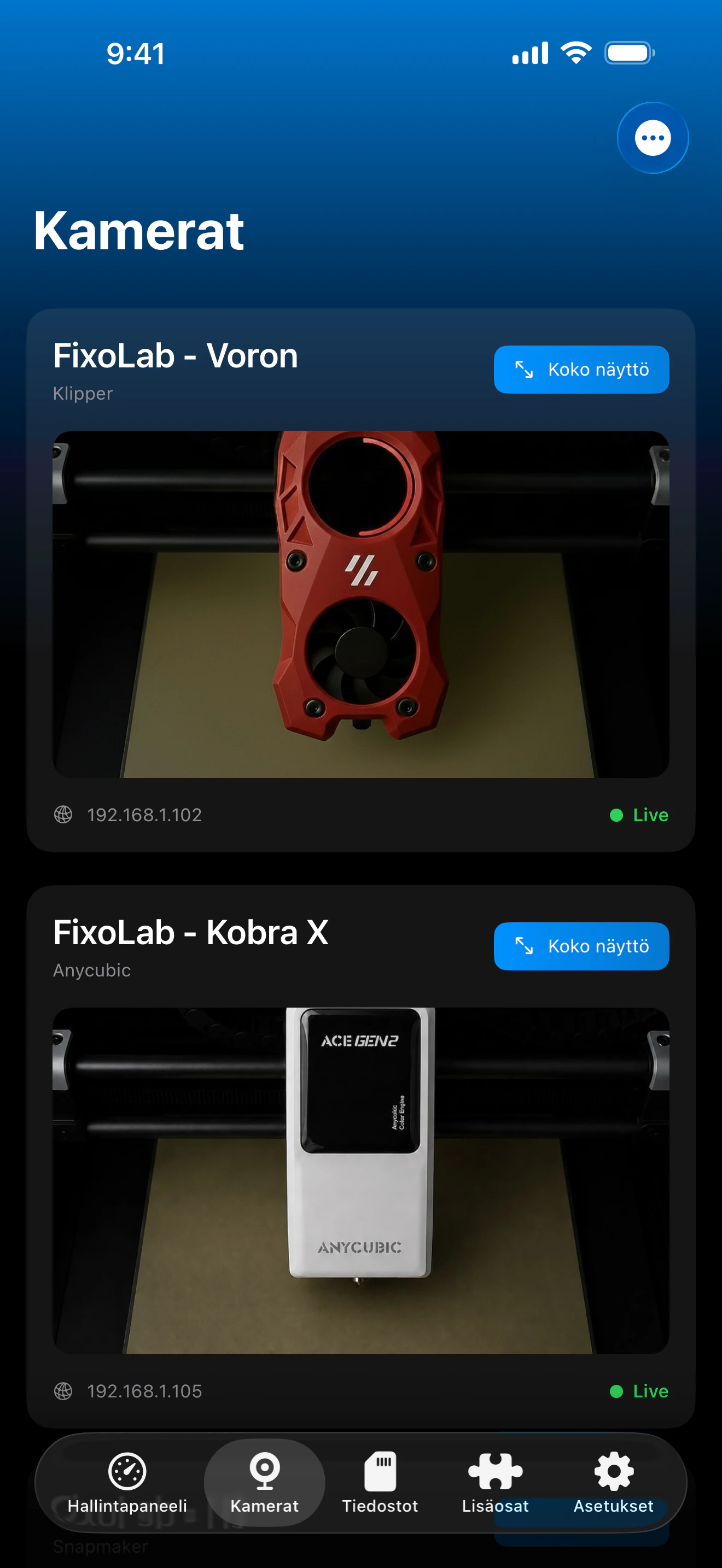
Katso se toiminnassa
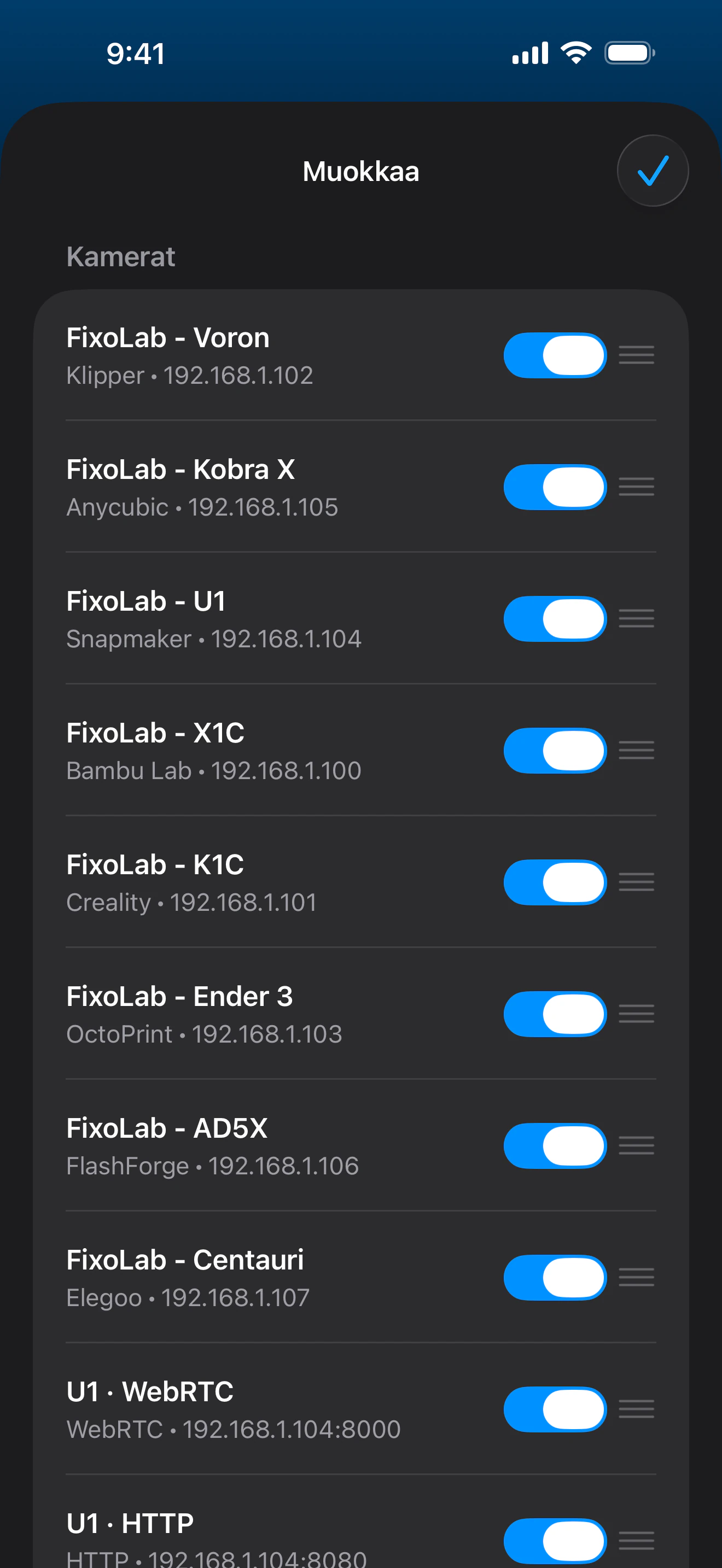
Yhteys ja protokolla
| ONVIF | Paikallinen WS-Discovery, mediaprofiilin valinta, automaattinen RTSP/RTSPS-virran ratkaisu ja PTZ, kun kamera tukee sitä |
| Siirto | HTTP (MJPEG), RTSP, RTSPS, TCP (JPEG) tai WebRTC, valitaan kamerakohtaisesti |
| Todennus | Käyttäjätunnus/salasana ONVIFille, HTTP:lle ja RTSP:lle/RTSPS:lle; ICE-/signalointitunnistetiedot WebRTC:lle, kun vaaditaan |
| Vaatimukset | Kameravirta, joka on tavoitettavissa paikallisverkossasi tunnetussa osoitteessa ja portissa |
| Poissa kotoa | Muodosta VPN-yhteys verkkoosi |
Mikä on tänään vahvistettu
- ✓ONVIF-kameroiden verkkohaku, mediaprofiilin valinta ja PTZ-ohjaimet, kun valittu kameraprofiili tukee niitä
- ✓Suora esikatselu HTTP (MJPEG)-, RTSP-, RTSPS-, TCP (JPEG)- ja WebRTC-virroille
- ✓Koko näytön katselu muiden kameroidesi rinnalla
- ✓Automaattinen uudelleenyhdistäminen, kun sovellus palaa etualalle
Ominaisuusmatriisi
| Ominaisuus | Tila | Huomiot |
|---|---|---|
| Yhteys ja tunnistus | Saatavilla | Lisää kamera IP-osoitteen, portin, virtapolun ja protokollan perusteella; käyttäjätunnus/salasana tuettu, kun virta sitä vaatii. |
| Reaaliaikainen telemetria | Saatavilla | Suora esikatselu kaikilla viidellä tuetulla protokollalla, näytetään tulostimesi kameroiden rinnalla. |
| Etäohjaus | Osittainen | Panorointi-, kallistus- ja zoomaussäätimet ovat käytettävissä, kun valittu ONVIF-profiili tarjoaa yhteensopivan jatkuvan PTZ-liikkeen. |
| Ääni | Ei saatavilla | Jokainen tuettu protokolla on vain video, ääntä ei ole saatavilla mistään ulkoisesta kameravirrasta. |
| Useita laitteita | Saatavilla | Lisää niin monta ulkoista kameraa kuin haluat, kullakin oma protokollansa ja tunnistetietonsa. |
Tunnetut rajoitukset
- !Ei ääntä millään protokollalla, HTTP (MJPEG), RTSP, RTSPS, TCP (JPEG) ja WebRTC ovat kaikki vain videota.
- !Suoratoisto keskeytyy, kun sovellus on taustalla, ja yhdistää automaattisesti uudelleen, kun se palaa etualalle.
- !TCP (JPEG) -kuvakehykset, jotka ovat suurempia kuin 2 Mt, hylätään.
- !WebRTC tarvitsee yhteensopivan signalointipalvelimen, se ei ole puhdasta vertaisverkkoa (peer-to-peer) suoraan.
- !ONVIF-haku vaatii pääsyn paikallisverkkoon; profiilit ja PTZ riippuvat siitä, mitä kukin kamera tarjoaa.
Usein kysytyt kysymykset
Mitä kameraprotokollia tuetaan?
ONVIF-haku sekä suorat HTTP (MJPEG)-, RTSP-, RTSPS-, TCP (JPEG)- ja WebRTC-virrat. ONVIF ratkaisee mediaprofiilin ja virtaosoitteen automaattisesti.
Tukeeko tämä ääntä?
Ei, jokainen tuettu protokolla on vain video; ääni ei ole saatavilla mistään ulkoisesta kameravirrasta.
Tarvitsenko käyttäjätunnuksen ja salasanan?
Vain jos kamerasi vaatii sellaisen. ONVIF, HTTP ja RTSP/RTSPS tukevat käyttäjätunnusta/salasanaa, ja WebRTC käyttää omia signalointitunnistetietojaan, kun asetus sitä edellyttää.
Voinko katsella ulkoista kameraa poissa kotoa?
Kyllä, muodosta VPN-yhteys kotiverkkoosi. Ulkoisia kameroita tavoitetaan paikallisesti, joten Printer Tools tarvitsee saman verkkoyhteyden kuin selain tarvitsisi.
Saatavilla alustalla
Muut lisäosat
Saatavilla Androidille, iOS:lle, iPadOS:lle, macOS:lle ja watchOS:lle