Spoolman Addon
Track filament spools and set the active spool for your Klipper printer, straight from Printer Tools
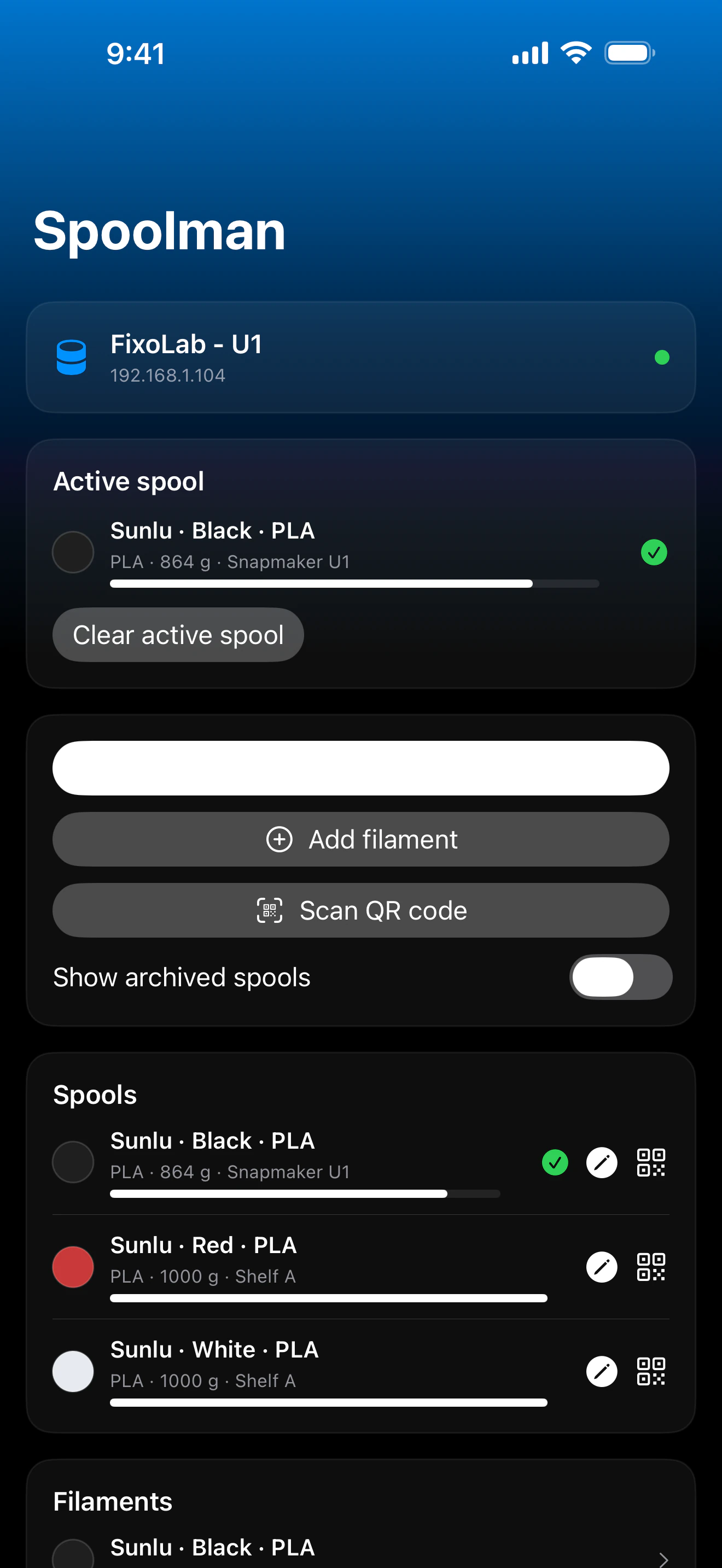
Printer Tools talks to Spoolman through your printer's own Moonraker instance, the same proxy Mainsail and Fluidd use, so no separate Spoolman connection or account is needed. Browse your spools, filaments and vendors, set the active spool by hand or by scanning its QR code, and update remaining weight after a print.
Supported devices
Connection & protocol
| Transport | Moonraker's Spoolman proxy (HTTP), over the same connection as your Klipper printer |
| Authentication | Moonraker API key, when your setup requires one |
| Requirements | A Klipper printer already added in Printer Tools, with Moonraker's Spoolman module configured against a running Spoolman server |
| Away from home | Connect over a VPN back to your network, or add OctoEverywhere |
What's verified today
- ✓Active spool shown on the dashboard, with a shortcut to change it
- ✓Spool list with vendor, filament and remaining weight, including archived spools
- ✓Set the active spool by picking it from the list or scanning its QR code
- ✓Update a spool's remaining weight by entering its measured gross weight
- ✓Create new vendors directly from Printer Tools
Feature matrix
| Feature | Status | Notes |
|---|---|---|
| Connection & discovery | Available | Uses the Klipper printer's own Moonraker connection; no separate Spoolman account or address to configure. |
| Live telemetry | Available | Active spool, remaining weight, filament and vendor are shown on the dashboard. |
| Remote control | Available | Set the active spool by list or QR code, log a new gross weight, and create vendors. |
| Multiple devices | Available | Works independently for every Klipper printer you've added that has a Spoolman server configured. |
Known limitations
- !Requires a Klipper printer already connected in Printer Tools with Moonraker's Spoolman module set up against a running Spoolman server; it isn't a standalone connection.
- !Filament and vendor catalog entries are managed in Spoolman itself; Printer Tools reads and updates spools, but full catalog editing stays in Spoolman's own interface.
- !QR code scanning expects Spoolman's own `web+spoolman:s-<id>` format.
Frequently asked questions
Do I need a separate Spoolman account or address?
No. Printer Tools reuses your Klipper printer's existing Moonraker connection and talks to Spoolman through Moonraker's own proxy, the same way Mainsail and Fluidd do.
Can I change the active spool from Printer Tools?
Yes, pick it from your spool list or scan its QR code (Spoolman's standard `web+spoolman:s-<id>` format) to set it as active.
Can I update how much filament is left on a spool?
Yes, enter the spool's measured gross weight and Printer Tools sends it to Spoolman to recalculate the remaining filament.
Does this work without Spoolman installed?
No, your Moonraker instance needs a Spoolman server configured; without it, filament data isn't available since Klipper doesn't track it natively.
Available on
Other addons
Available for Android, iOS, iPadOS, macOS and watchOS