Addon Spoolman
Controla tus carretes de filamento y define el carrete activo de tu impresora Klipper, directamente desde Printer Tools
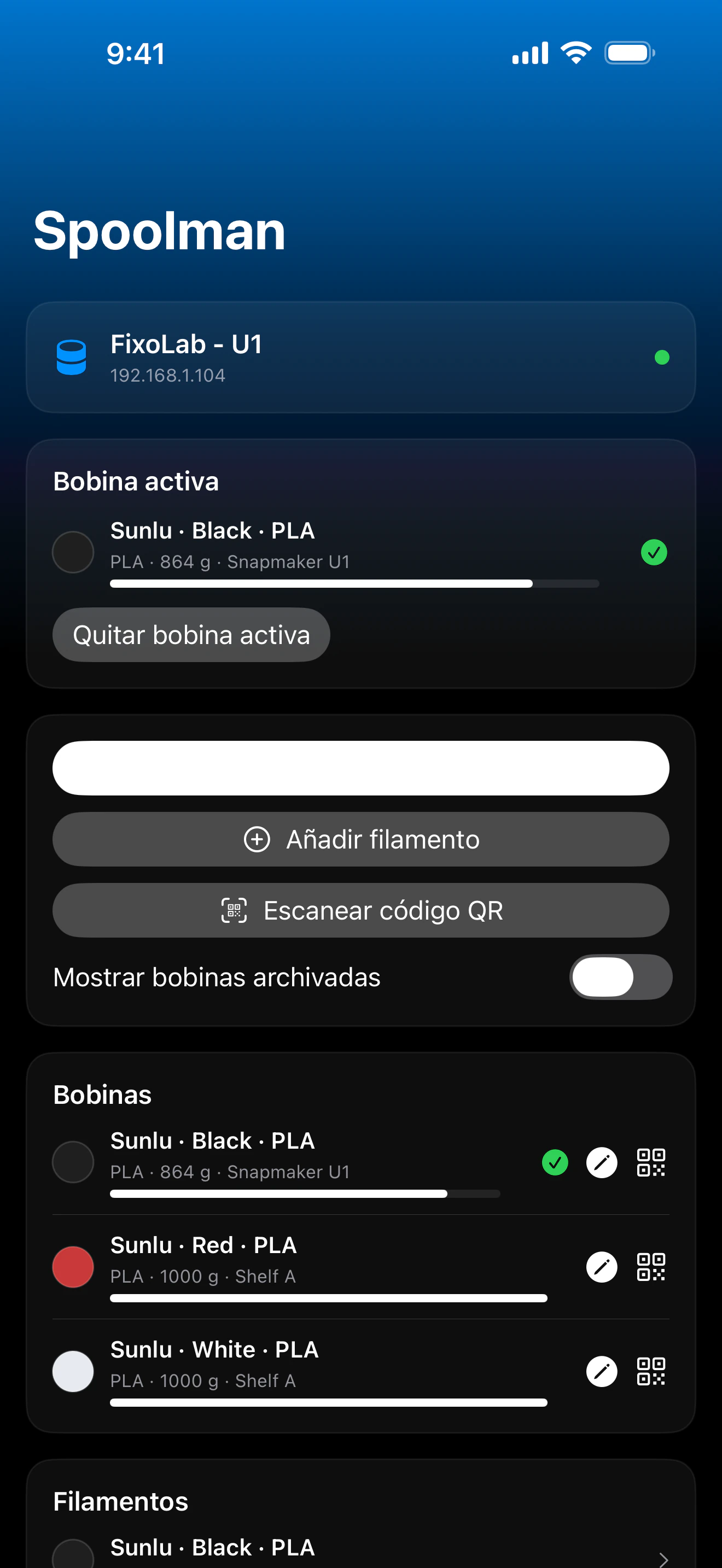
Printer Tools se comunica con Spoolman a través de la propia instancia de Moonraker de tu impresora, el mismo proxy que usan Mainsail y Fluidd, así que no hace falta ninguna conexión ni cuenta de Spoolman aparte. Explora tus carretes, filamentos y fabricantes, define el carrete activo manualmente o escaneando su código QR, y actualiza el peso restante después de una impresión.
Dispositivos compatibles
Conexión y protocolo
| Transporte | Proxy de Spoolman de Moonraker (HTTP), sobre la misma conexión que tu impresora Klipper |
| Autenticación | Clave de API de Moonraker, cuando tu configuración lo requiere |
| Requisitos | Una impresora Klipper ya añadida en Printer Tools, con el módulo Spoolman de Moonraker configurado contra un servidor Spoolman en funcionamiento |
| Fuera de casa | Conéctate mediante una VPN a tu red, o añade OctoEverywhere |
Qué está verificado hoy
- ✓Carrete activo mostrado en el panel, con un acceso directo para cambiarlo
- ✓Lista de carretes con fabricante, filamento y peso restante, incluyendo carretes archivados
- ✓Define el carrete activo eligiéndolo de la lista o escaneando su código QR
- ✓Actualiza el peso restante de un carrete introduciendo su peso bruto medido
- ✓Crea nuevos fabricantes directamente desde Printer Tools
Matriz de funciones
| Función | Estado | Notas |
|---|---|---|
| Conexión y descubrimiento | Disponible | Usa la propia conexión Moonraker de la impresora Klipper; no hay que configurar ninguna cuenta ni dirección de Spoolman aparte. |
| Telemetría en vivo | Disponible | El carrete activo, el peso restante, el filamento y el fabricante se muestran en el panel. |
| Control remoto | Disponible | Define el carrete activo por lista o código QR, registra un nuevo peso bruto y crea fabricantes. |
| Varios dispositivos | Disponible | Funciona de forma independiente para cada impresora Klipper que hayas añadido y que tenga un servidor Spoolman configurado. |
Limitaciones conocidas
- !Requiere una impresora Klipper ya conectada en Printer Tools con el módulo Spoolman de Moonraker configurado contra un servidor Spoolman en funcionamiento; no es una conexión independiente.
- !Las entradas del catálogo de filamentos y fabricantes se gestionan en el propio Spoolman; Printer Tools lee y actualiza carretes, pero la edición completa del catálogo se mantiene en la propia interfaz de Spoolman.
- !El escaneo de código QR espera el propio formato `web+spoolman:s-<id>` de Spoolman.
Preguntas frecuentes
¿Necesito una cuenta o dirección de Spoolman aparte?
No. Printer Tools reutiliza la conexión Moonraker existente de tu impresora Klipper y se comunica con Spoolman a través del propio proxy de Moonraker, de la misma forma que lo hacen Mainsail y Fluidd.
¿Puedo cambiar el carrete activo desde Printer Tools?
Sí, elígelo de tu lista de carretes o escanea su código QR (el formato estándar `web+spoolman:s-<id>` de Spoolman) para definirlo como activo.
¿Puedo actualizar cuánto filamento queda en un carrete?
Sí, introduce el peso bruto medido del carrete y Printer Tools lo envía a Spoolman para recalcular el filamento restante.
¿Esto funciona sin Spoolman instalado?
No, tu instancia de Moonraker necesita un servidor Spoolman configurado; sin él, los datos de filamento no están disponibles porque Klipper no los rastrea de forma nativa.
Disponible en
Otros addons
Disponible para Android, iOS, iPadOS, macOS y watchOS