Dodatek Spoolman
Śledź szpule filamentu i ustaw aktywną szpulę dla swojej drukarki Klipper, prosto z Printer Tools
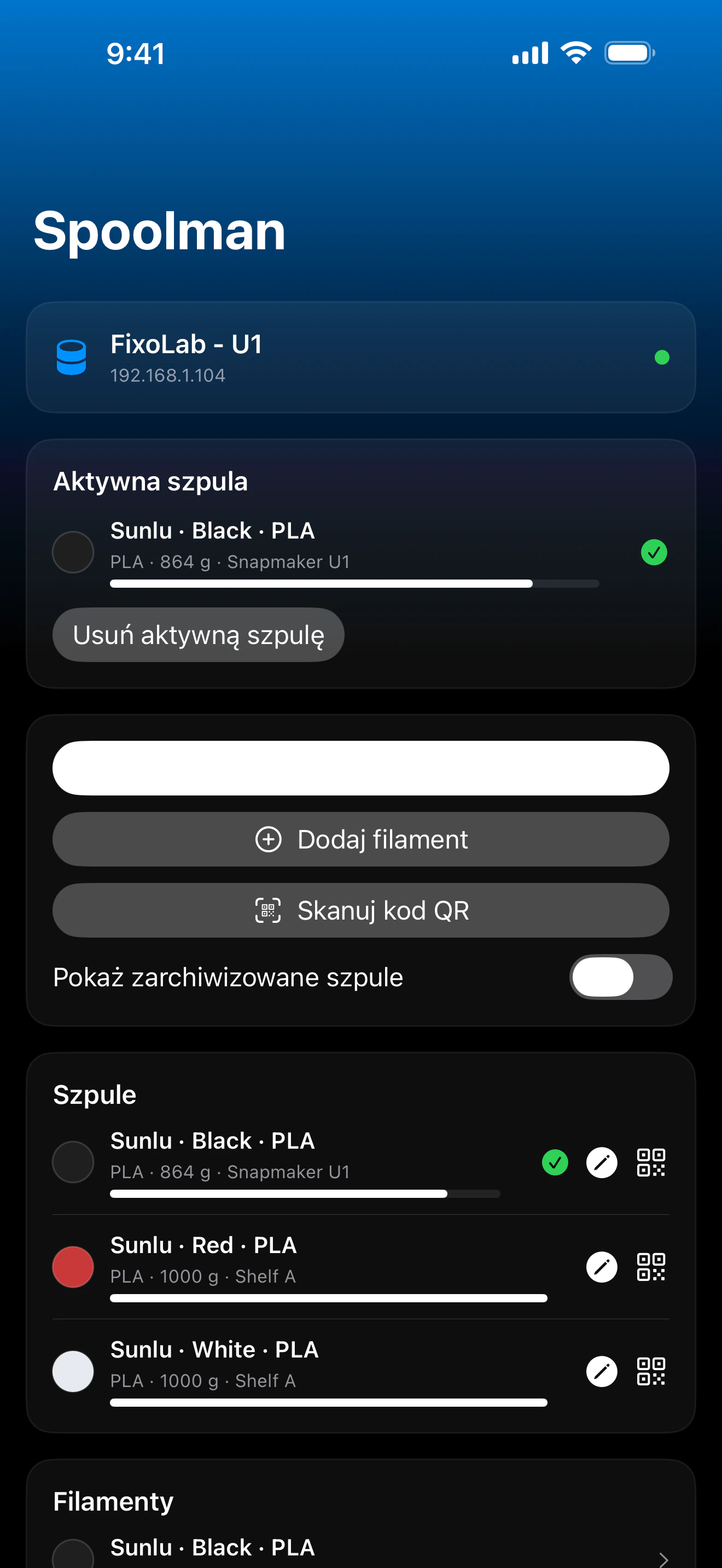
Printer Tools komunikuje się ze Spoolman przez własną instancję Moonraker Twojej drukarki, ten sam proxy, którego używają Mainsail i Fluidd, więc osobne połączenie ani konto Spoolman nie są potrzebne. Przeglądaj swoje szpule, filamenty i dostawców, ustaw aktywną szpulę ręcznie lub skanując jej kod QR, i aktualizuj pozostałą wagę po wydruku.
Obsługiwane urządzenia
Połączenie i protokół
| Transport | Proxy Spoolman w Moonraker (HTTP), przez to samo połączenie co Twoja drukarka Klipper |
| Uwierzytelnianie | Klucz API Moonraker, gdy wymaga tego Twoja konfiguracja |
| Wymagania | Drukarka Klipper już dodana w Printer Tools, ze skonfigurowanym modułem Spoolman Moonraker względem działającego serwera Spoolman |
| Poza domem | Połącz się przez VPN z powrotem do swojej sieci lub dodaj OctoEverywhere |
Co jest dziś zweryfikowane
- ✓Aktywna szpula pokazywana na pulpicie, ze skrótem do jej zmiany
- ✓Lista szpul z dostawcą, filamentem i pozostałą wagą, w tym szpule zarchiwizowane
- ✓Ustawianie aktywnej szpuli przez wybranie jej z listy lub zeskanowanie kodu QR
- ✓Aktualizacja pozostałej wagi szpuli przez wpisanie jej zmierzonej wagi brutto
- ✓Tworzenie nowych dostawców bezpośrednio z Printer Tools
Macierz funkcji
| Funkcja | Status | Uwagi |
|---|---|---|
| Połączenie i wykrywanie | Dostępne | Wykorzystuje własne połączenie Moonraker drukarki Klipper; brak osobnego konta ani adresu Spoolman do konfiguracji. |
| Telemetria na żywo | Dostępne | Aktywna szpula, pozostała waga, filament i dostawca są pokazywane na pulpicie. |
| Zdalne sterowanie | Dostępne | Ustaw aktywną szpulę z listy lub kodu QR, zapisz nową wagę brutto i twórz dostawców. |
| Wiele urządzeń | Dostępne | Działa niezależnie dla każdej dodanej drukarki Klipper, która ma skonfigurowany serwer Spoolman. |
Znane ograniczenia
- !Wymaga drukarki Klipper już podłączonej w Printer Tools ze skonfigurowanym modułem Spoolman Moonraker względem działającego serwera Spoolman; to nie jest samodzielne połączenie.
- !Wpisy katalogu filamentów i dostawców są zarządzane w samym Spoolman; Printer Tools odczytuje i aktualizuje szpule, ale pełna edycja katalogu pozostaje we własnym interfejsie Spoolman.
- !Skanowanie kodu QR oczekuje własnego formatu Spoolman `web+spoolman:s-<id>`.
Najczęściej zadawane pytania
Czy potrzebuję osobnego konta lub adresu Spoolman?
Nie. Printer Tools wykorzystuje istniejące połączenie Moonraker Twojej drukarki Klipper i komunikuje się ze Spoolman przez własny proxy Moonraker, tak samo jak Mainsail i Fluidd.
Czy mogę zmienić aktywną szpulę z Printer Tools?
Tak, wybierz ją z listy szpul lub zeskanuj jej kod QR (standardowy format Spoolman `web+spoolman:s-<id>`), aby ustawić ją jako aktywną.
Czy mogę zaktualizować ilość pozostałego filamentu na szpuli?
Tak, wpisz zmierzoną wagę brutto szpuli, a Printer Tools wyśle ją do Spoolman, aby przeliczyć pozostały filament.
Czy to działa bez zainstalowanego Spoolman?
Nie, Twoja instancja Moonraker potrzebuje skonfigurowanego serwera Spoolman; bez niego dane filamentu nie są dostępne, ponieważ Klipper nie śledzi ich natywnie.
Dostępne na
Inne dodatki
Dostępne dla Android, iOS, iPadOS, macOS i watchOS