BIGTREETECH Eklentisi
Panda PWR, Panda Touch ve Panda Knomi'yi yerel ağınız üzerinden izleyin ve kontrol edin
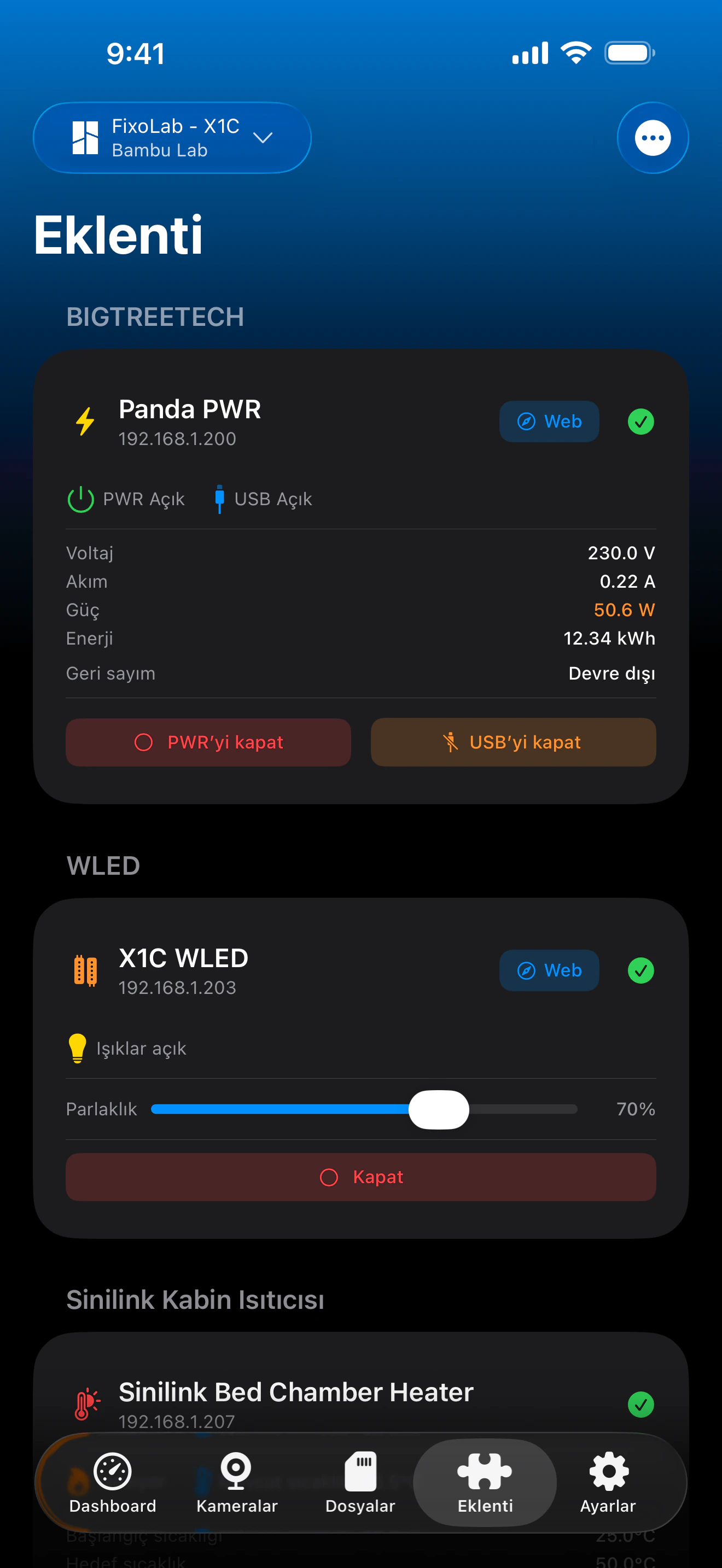
Printer Tools, BIGTREETECH'in Panda aksesuarlarıyla yerel ağınızda düz HTTP üzerinden, Panda PWR'ın kendi web arayüzüyle aynı uç noktaları kullanarak iletişim kurar. Panda PWR tam güç izleme ve kontrolü sunarken, Panda Touch ve Panda Knomi algılanır ve yazıcılarınızın yanında bağlı cihazlar olarak gösterilir.
Desteklenen cihazlar
Bağlantı ve protokol
| Aktarım | LAN üzerinden HTTP (Panda PWR); Panda Touch ve Panda Knomi için TCP varlık kontrolü |
| Kimlik doğrulama | Yok, cihazlar yerel IP adresiyle eklenir |
| Gereksinimler | Yerel ağınızda erişilebilir bir Panda cihazı |
| Evden uzaktayken | VPN ile ağınıza geri bağlanın |
Bugün doğrulanmış olanlar
- ✓Her komuttan sonra uygulamanın durumu yeniden kontrol ettiği Panda PWR güç ve USB açma/kapama düğmeleri
- ✓Panda PWR gerilim, akım, güç ve enerji tüketimi okumaları
- ✓Panda PWR geri sayım zamanlayıcısı kontrolü (başlat, duraklat, durdur) ve otomatik kapatma düğmesi
- ✓Diğer cihazlarınızın yanında Panda Touch ve Panda Knomi bağlantı durumu
Özellik matrisi
| Özellik | Durum | Notlar |
|---|---|---|
| Bağlantı ve keşif | Kullanılabilir | Cihazlar IP adresiyle eklenir; Panda PWR HTTP üzerinden, Panda Touch ve Panda Knomi hafif bir TCP kontrolüyle sorgulanır. |
| Canlı telemetri | Kullanılabilir | Panda PWR gerilim, akım, güç ve enerji tüketimini bildirir. |
| Uzaktan kontrol | Kullanılabilir | Panda PWR gücü, USB'si ve geri sayım zamanlayıcısı Printer Tools'tan kontrol edilebilir. |
| Birden fazla cihaz | Kullanılabilir | Sahip olduğunuz kadar çok Panda PWR, Panda Touch ve Panda Knomi ünitesi ekleyin. |
Bilinen sınırlamalar
- !Panda Touch ve Panda Knomi bugün yalnızca bağlantı durumunu gösterir, bu ikisi için henüz telemetri veya kontrol yok.
- !Cihazlar yerel IP adresiyle yapılandırılır; bulut eşleştirmesi veya keşfi yoktur.
- !Enerji tüketimi cihazın kendisinde sıfırlanır; Printer Tools geçmiş bir tüketim grafiği tutmaz.
Sıkça sorulan sorular
Bir Panda cihazı bağlamak için BIGTREETECH hesabına ihtiyacım var mı?
Hayır. Panda PWR, Panda Touch ve Panda Knomi, Panda PWR'ın kendi web arayüzüne ulaşacağınız şekilde yerel IP adresleriyle eklenir, hesap veya bulut eşleştirmesi gerekmez.
Panda Touch veya Panda Knomi'yi Printer Tools'tan kontrol edebilir miyim?
Henüz değil. Bugün Printer Tools yalnızca bağlantı durumlarını gösteriyor; tam telemetri ve uzaktan kontrole sahip olan Panda PWR.
Panda PWR'da neyi kontrol edebilirim?
Güç ve USB çıkışını, geri sayım zamanlayıcısını (başlat, duraklat veya durdur) ve otomatik kapatmayı, ayrıca canlı gerilim, akım, güç ve enerji tüketimi okumalarını.
Panda PWR'ıma evden uzaktayken ulaşabilir miyim?
Evet, VPN ile ev ağınıza geri bağlanın, Panda PWR yalnızca yerel ağınızda erişilebilir, bu nedenle Printer Tools bir tarayıcının ihtiyaç duyacağı aynı ağ erişimine ihtiyaç duyar.
Şunlarda kullanılabilir
Diğer eklentiler
Android, iOS, iPadOS, macOS ve watchOS için mevcut