BIGTREETECH-add-on
Bewaak en bedien Panda PWR, Panda Touch en Panda Knomi via je lokale netwerk
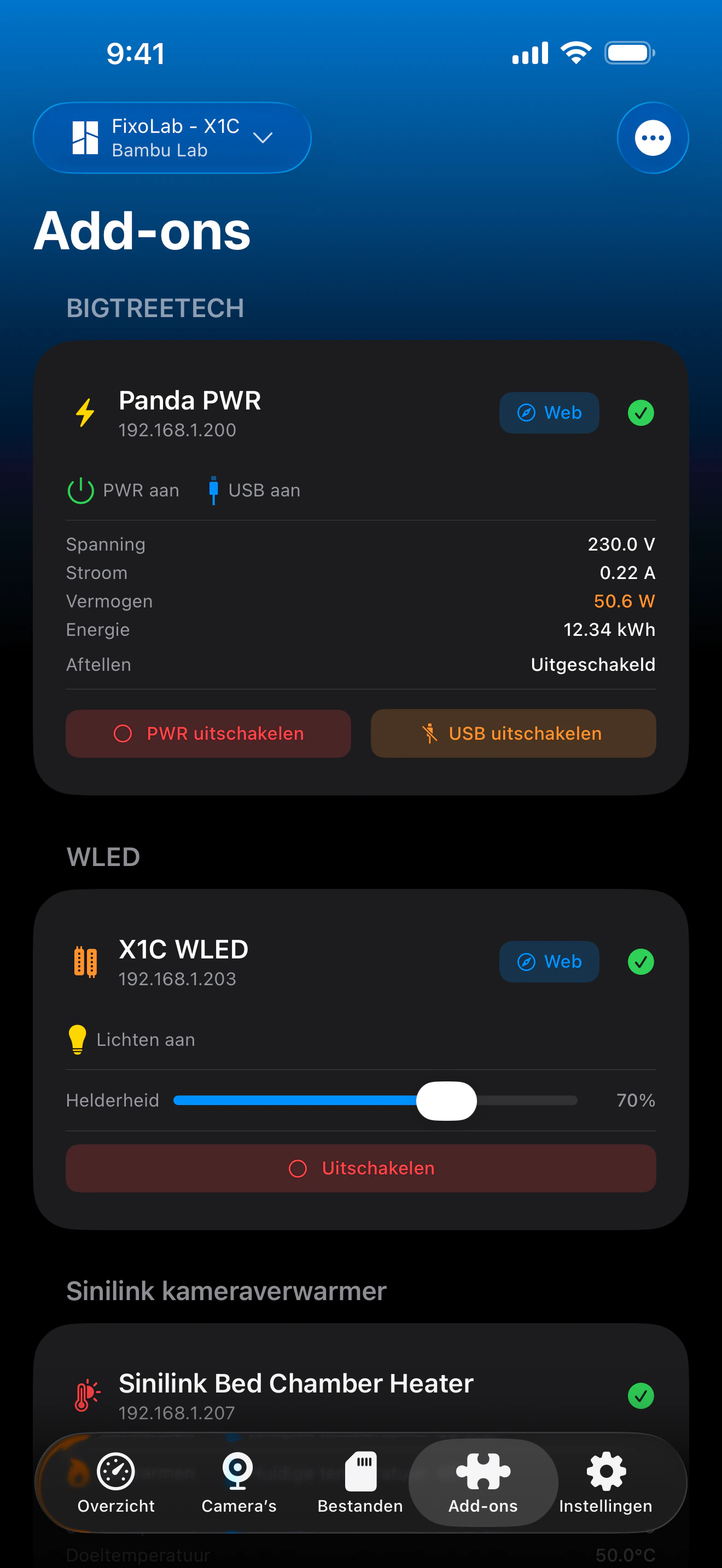
Printer Tools communiceert met de Panda-accessoires van BIGTREETECH via gewone HTTP op je lokale netwerk, met dezelfde eindpunten als de eigen webinterface van Panda PWR. Panda PWR biedt volledige stroombewaking en -bediening, terwijl Panda Touch en Panda Knomi worden gedetecteerd en weergegeven als verbonden apparaten naast je printers.
Ondersteunde apparaten
Verbinding & protocol
| Transport | HTTP over LAN (Panda PWR); TCP-aanwezigheidscontrole voor Panda Touch en Panda Knomi |
| Authenticatie | Geen, apparaten worden toegevoegd via hun lokale IP-adres |
| Vereiste | Panda-apparaat bereikbaar op je lokale netwerk |
| Onderweg | Verbind via VPN met je netwerk |
Wat is er vandaag geverifieerd
- ✓Panda PWR stroom- en USB-schakelaars, waarbij de app de status na elke opdracht opnieuw controleert
- ✓Panda PWR-metingen van spanning, stroom, vermogen en energieverbruik
- ✓Bediening van de Panda PWR-afteltimer (starten, pauzeren, stoppen) en schakelaar voor automatisch uitschakelen
- ✓Verbindingsstatus van Panda Touch en Panda Knomi naast je andere apparaten
Functiematrix
| Functie | Status | Opmerkingen |
|---|---|---|
| Verbinding en detectie | Beschikbaar | Apparaten worden toegevoegd via IP-adres; Panda PWR wordt uitgelezen via HTTP, Panda Touch en Panda Knomi via een lichte TCP-controle. |
| Live telemetrie | Beschikbaar | Panda PWR rapporteert spanning, stroom, vermogen en energieverbruik. |
| Afstandsbediening | Beschikbaar | Stroom, USB en afteltimer van Panda PWR kunnen vanuit Printer Tools worden bediend. |
| Meerdere apparaten | Beschikbaar | Voeg zoveel Panda PWR-, Panda Touch- en Panda Knomi-eenheden toe als je hebt. |
Bekende beperkingen
- !Panda Touch en Panda Knomi tonen momenteel alleen de verbindingsstatus; voor deze twee zijn nog geen telemetrie of bedieningsopties beschikbaar.
- !Apparaten worden geconfigureerd via hun lokale IP-adres; er is geen cloudkoppeling of -detectie.
- !Het energieverbruik wordt op het apparaat zelf gereset; Printer Tools houdt geen historische verbruiksgrafiek bij.
Veelgestelde vragen
Heb ik een BIGTREETECH-account nodig om een Panda-apparaat te verbinden?
Nee. Panda PWR, Panda Touch en Panda Knomi worden toegevoegd via hun lokale IP-adres, op dezelfde manier waarop je de eigen webinterface van Panda PWR zou bereiken; er is geen account of cloudkoppeling vereist.
Kan ik Panda Touch of Panda Knomi bedienen vanuit Printer Tools?
Nog niet. Printer Tools toont momenteel alleen hun verbindingsstatus; Panda PWR is het enige apparaat met volledige telemetrie en externe bediening.
Wat kan ik bedienen op Panda PWR?
Stroom- en USB-uitgang, de afteltimer (starten, pauzeren of stoppen) en automatisch uitschakelen, plus live metingen van spanning, stroom, vermogen en energieverbruik.
Kan ik mijn Panda PWR bereiken als ik niet thuis ben?
Ja, verbind via VPN met je thuisnetwerk. Panda PWR is alleen bereikbaar op je lokale netwerk, dus Printer Tools heeft dezelfde netwerktoegang nodig als een browser.
Beschikbaar op
Andere add-ons
Beschikbaar voor Android, iOS, iPadOS, macOS en watchOS