Doplněk WLED
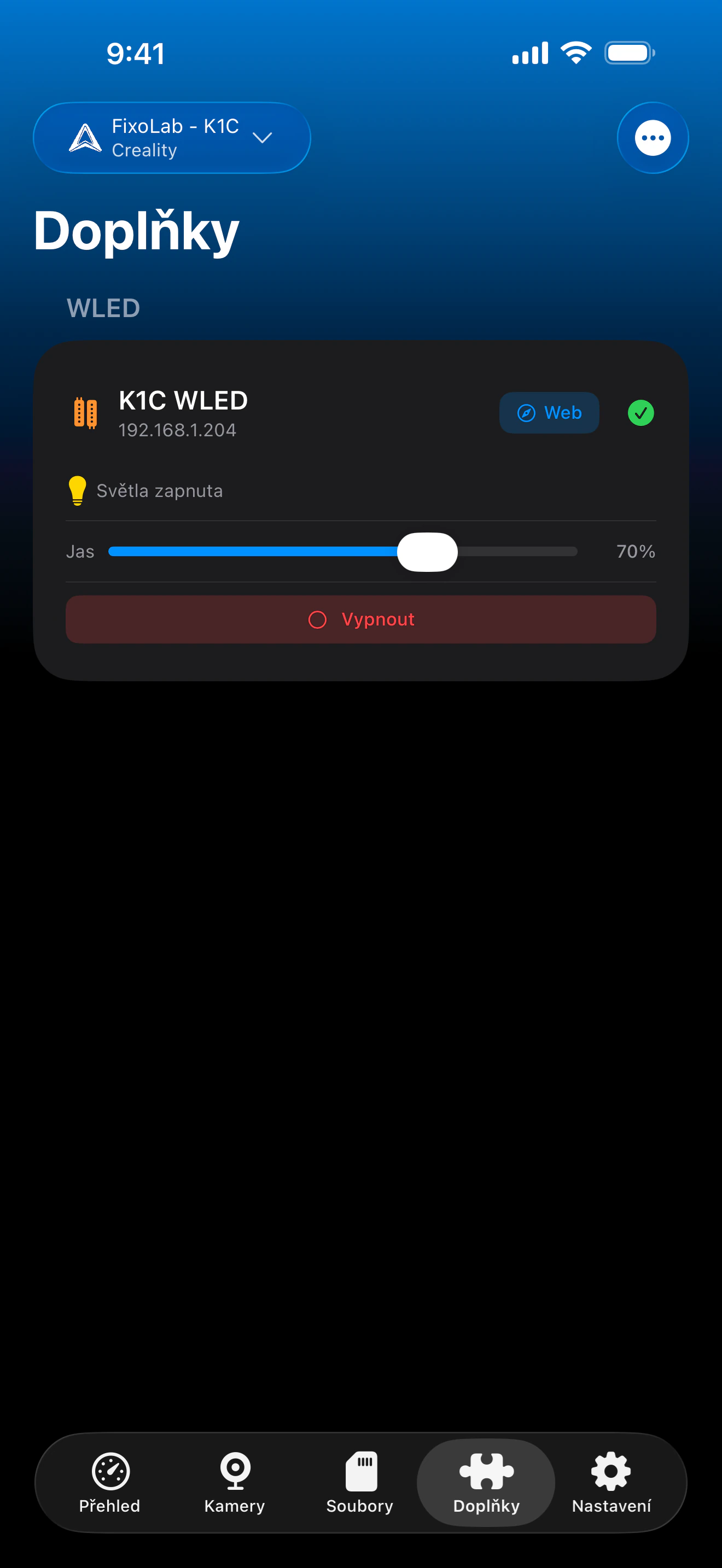
Zapínejte a vypínejte LED pásky s firmwarem WLED a upravujte jas přímo z Printer Tools
Printer Tools komunikuje s ovladači WLED pomocí vlastního JSON API WLED ve vaší lokální síti. Napájení a jas se ovládají přímo z Printer Tools a zkratka otevře v prohlížeči plné webové rozhraní WLED, kdykoli potřebujete efekty, předvolby nebo ovládání barev.
Podporovaná zařízení
Připojení a protokol
| Přenos | JSON API WLED přes HTTP (LAN) |
| Ověření | Žádné, zařízení se přidávají podle lokální IP adresy |
| Požadavky | Ovladač s firmwarem WLED dostupný ve vaší lokální síti |
| Mimo domov | Připojte se přes VPN do své sítě |
Co je dnes ověřeno
- ✓Přepínač zapnutí/vypnutí, synchronizovaný se skutečným stavem ovladače
- ✓Ovládání jasu (0-255)
- ✓Zkratka jedním klepnutím pro otevření plného webového rozhraní WLED pro efekty, předvolby a barvy
Matice funkcí
| Funkce | Stav | Poznámky |
|---|---|---|
| Připojení a rozpoznání | Dostupné | Přidává se podle lokální IP adresy; stav se pravidelně dotazuje přes JSON API WLED. |
| Dálkové ovládání | Dostupné | Napájení a jas se ovládají přímo z Printer Tools. |
| Efekty a přednastavení | Částečné | Efekty, předvolby, barvy a palety zatím nejsou přímo v Printer Tools zabudované, zkratka „Web“ v aplikaci pro ně otevře vlastní rozhraní WLED. |
| Více zařízení | Dostupné | Přidejte jednu kartu pro každý ovladač WLED, což se hodí pro osvětlení AMS/komory u více tiskáren. |
Známá omezení
- !Výběr efektů, předvoleb, barev a palet není přímo v Printer Tools k dispozici, použijte pro ně propojené webové rozhraní WLED.
- !Stav se obnovuje pravidelně, nikoli okamžitě, takže změny provedené přímo ve vlastním rozhraní WLED se mohou zobrazit až po několika sekundách.
- !Zařízení se nastavují podle lokální IP adresy; neexistuje cloudové párování ani automatické vyhledávání.
Často kladené otázky
Potřebuji účet WLED nebo cloudovou službu?
Ne. WLED samo o sobě nemá žádný cloud ani systém účtů, Printer Tools komunikuje přímo s lokální IP adresou vašeho ovladače pomocí JSON API WLED.
Mohu z Printer Tools měnit efekty nebo barvy?
Zatím ne přímo. Printer Tools ovládá napájení a jas; klepnutím na zkratku „Web“ otevřete vlastní rozhraní WLED pro efekty, předvolby a ovládání barev.
Funguje to s jakýmkoli ovladačem WLED?
Ano, funguje jakýkoli ovladač s firmwarem WLED dostupný ve vaší lokální síti, bez ohledu na to, zda běží na hardwaru ESP8266 nebo ESP32.
Mohu ovládat své LED mimo domov?
Ano, připojte se přes VPN do své domácí sítě, WLED je dostupné pouze ve vaší lokální síti, takže Printer Tools potřebuje stejný přístup k síti jako běžný prohlížeč.
Dostupné na
Další doplňky
Dostupné pro Android, iOS, iPadOS, macOS a watchOS