Addon WLED
Ligue ou desligue as suas fitas LED com WLED e ajuste o brilho a partir do Printer Tools
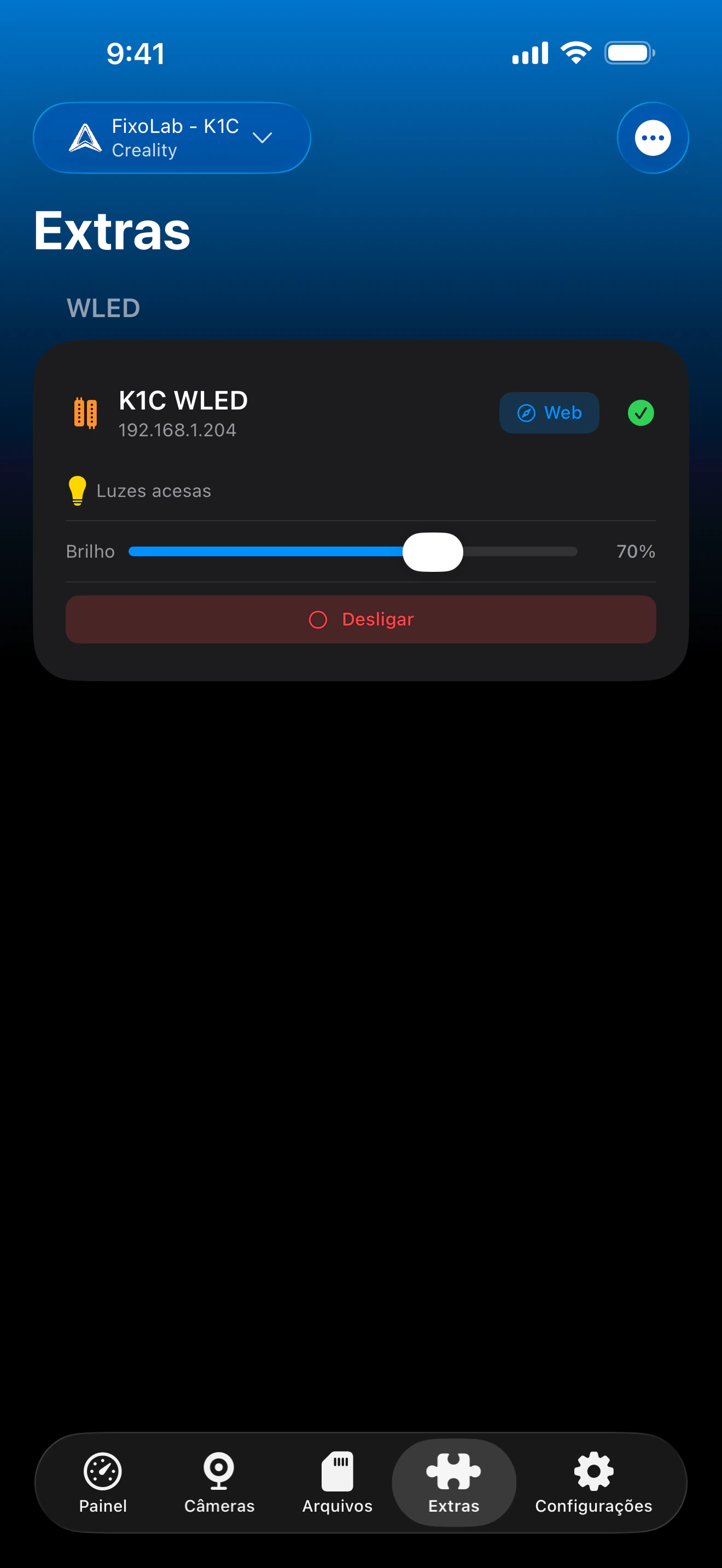
O Printer Tools comunica com controladores WLED usando a própria API JSON do WLED na sua rede local. A energia e o brilho são controlados diretamente a partir do Printer Tools, e um atalho abre a interface web completa do WLED no seu navegador sempre que precisar de efeitos, predefinições ou controlo de cor.
Dispositivos suportados
Conexão e protocolo
| Transporte | API JSON do WLED via HTTP (LAN) |
| Autenticação | Nenhuma, os dispositivos são adicionados pelo endereço IP local |
| Requisitos | Um controlador com WLED acessível na sua rede local |
| Fora de casa | Ligue-se via VPN à sua rede |
O que está verificado hoje
- ✓Interruptor de ligar/desligar, sincronizado com o estado real do controlador
- ✓Controlo de brilho (0-255)
- ✓Atalho de um toque para abrir a interface web completa do WLED para efeitos, predefinições e cores
Matriz de recursos
| Recurso | Status | Notas |
|---|---|---|
| Ligação e deteção | Disponível | Adicionado pelo endereço IP local; o estado é consultado periodicamente via API JSON do WLED. |
| Controlo remoto | Disponível | A energia e o brilho são controlados diretamente a partir do Printer Tools. |
| Efeitos e predefinições | Parcial | Efeitos, predefinições, cores e paletas ainda não estão integrados no Printer Tools, o atalho "Web" da app abre a interface própria do WLED para isso. |
| Vários dispositivos | Disponível | Adicione um cartão por controlador WLED, útil para iluminação AMS/câmara em várias impressoras. |
Limitações conhecidas
- !A seleção de efeitos, predefinições, cor e paleta não está disponível diretamente no Printer Tools, use a interface web do WLED associada para isso.
- !O estado atualiza-se periodicamente em vez de instantaneamente, pelo que as alterações feitas diretamente na interface do WLED podem demorar alguns segundos a aparecer.
- !Os dispositivos são configurados por endereço IP local; não há emparelhamento na nuvem nem deteção.
Perguntas frequentes
Preciso de uma conta WLED ou serviço na nuvem?
Não. O WLED em si não tem nuvem nem sistema de contas, o Printer Tools comunica diretamente com o endereço IP local do seu controlador usando a API JSON do WLED.
Posso mudar efeitos ou cores a partir do Printer Tools?
Ainda não diretamente. O Printer Tools controla a energia e o brilho; toque no atalho "Web" para abrir a interface própria do WLED para efeitos, predefinições e controlo de cor.
Isto funciona com qualquer controlador WLED?
Sim, qualquer controlador com firmware WLED e acessível na sua rede local funciona, independentemente do hardware ESP8266/ESP32 subjacente.
Posso controlar os meus LEDs fora de casa?
Sim, ligue-se via VPN à sua rede doméstica, o WLED só é acessível na sua rede local, pelo que o Printer Tools precisa do mesmo acesso à rede que um navegador teria.
Disponível em
Outros addons
Disponível para Android, iOS, iPadOS, macOS e watchOS