WLED Addon
Tænd eller sluk dine WLED-flashede LED-strips og juster lysstyrken fra Printer Tools
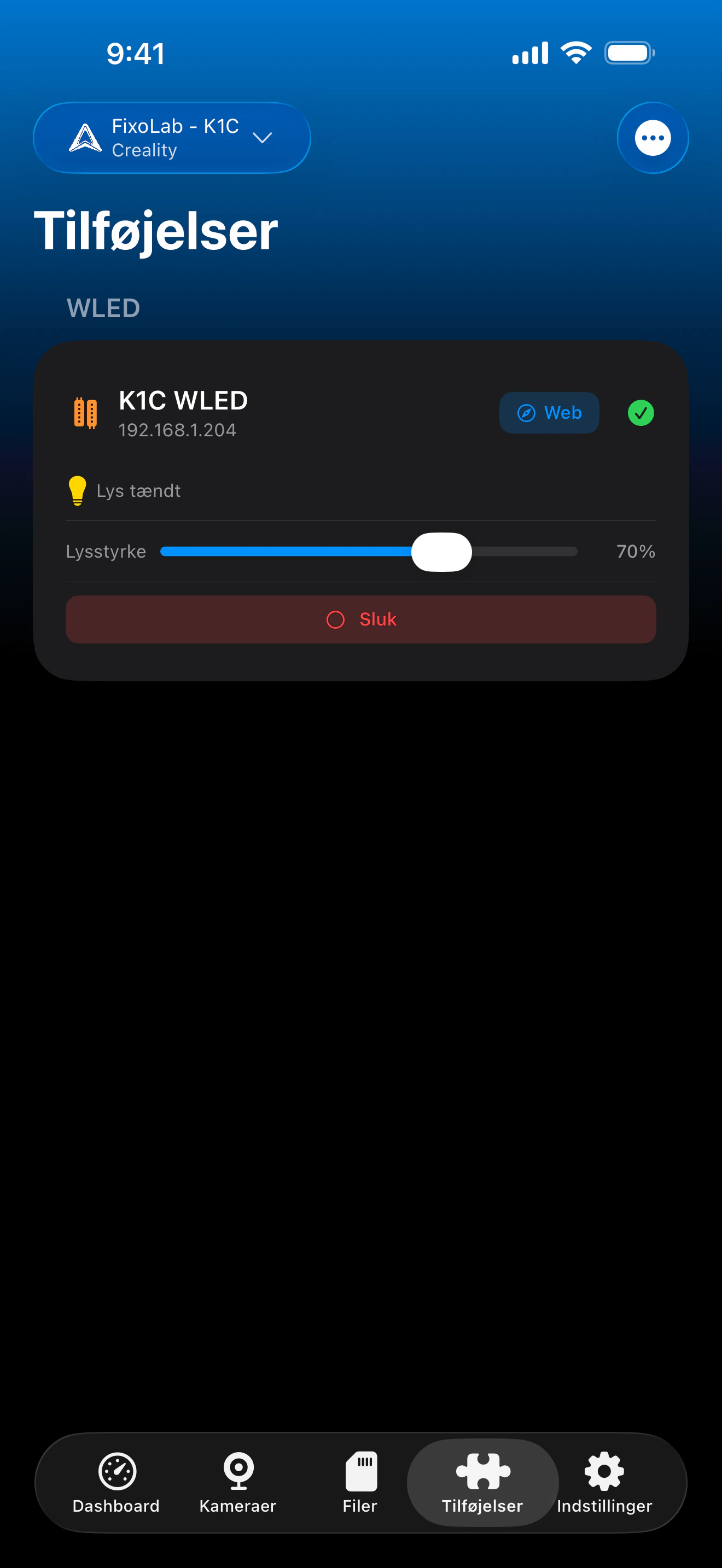
Printer Tools kommunikerer med WLED-controllere via WLEDs eget JSON API over dit lokale netværk. Strøm og lysstyrke styres direkte fra Printer Tools, og en genvej åbner det fulde WLED-webinterface i din browser, når du har brug for effekter, forudindstillinger eller farvestyring.
Understøttede enheder
Forbindelse & protokol
| Transport | WLED JSON API over HTTP (LAN) |
| Godkendelse | Ingen, enheder tilføjes via lokal IP-adresse |
| Krav | En WLED-flashet controller tilgængelig på dit lokale netværk |
| Væk hjemmefra | Opret VPN-forbindelse til dit netværk |
Hvad er verificeret i dag
- ✓Tænd/sluk-kontakt, synkroniseret med controllerens faktiske status
- ✓Lysstyrkestyring (0-255)
- ✓Genvej med ét tryk til at åbne det fulde WLED-webinterface for effekter, forudindstillinger og farver
Funktionsmatrix
| Funktion | Status | Noter |
|---|---|---|
| Forbindelse & opdagelse | Tilgængelig | Tilføjes via lokal IP-adresse; status polles periodisk via WLEDs JSON API. |
| Fjernstyring | Tilgængelig | Strøm og lysstyrke styres direkte fra Printer Tools. |
| Effekter & forudindstillinger | Delvis | Effekter, forudindstillinger, farver og paletter er endnu ikke indbygget i Printer Tools, genvejen "Web" i appen åbner WLEDs eget interface til dette. |
| Flere enheder | Tilgængelig | Tilføj ét kort pr. WLED-controller, nyttigt til AMS-/kammerbelysning på flere printere. |
Kendte begrænsninger
- !Effekt-, forudindstillings-, farve- og palettevalg er ikke tilgængeligt direkte i Printer Tools, brug det tilknyttede WLED-webinterface til dette.
- !Status opdateres periodisk snarere end øjeblikkeligt, så ændringer foretaget direkte i WLEDs eget interface kan tage nogle sekunder om at vise sig.
- !Enheder konfigureres via lokal IP-adresse; der er ingen sky-parring eller -opdagelse.
Ofte stillede spørgsmål
Skal jeg have en WLED-konto eller skytjeneste?
Nej. WLED har selv intet sky- eller kontosystem, Printer Tools kommunikerer direkte med din controllers lokale IP-adresse via WLEDs JSON API.
Kan jeg ændre effekter eller farver fra Printer Tools?
Ikke direkte endnu. Printer Tools styrer strøm og lysstyrke; tryk på genvejen "Web" for at åbne WLEDs eget interface til effekter, forudindstillinger og farvestyring.
Virker dette med enhver WLED-controller?
Ja, enhver controller, der kører WLED-firmware og er tilgængelig på dit lokale netværk, fungerer, uanset den underliggende ESP8266/ESP32-hardware.
Kan jeg styre mine LED'er væk hjemmefra?
Ja, opret VPN-forbindelse til dit hjemmenetværk, WLED er kun tilgængelig på dit lokale netværk, så Printer Tools har brug for den samme netværksadgang, som en browser ville have.
Tilgængelig på
Andre addons
Tilgængelig til Android, iOS, iPadOS, macOS og watchOS